How to Remove Visual Editor Mode in WordPress ?
Published: 2026-02-07

The Visual Editor in WordPress provides a WYSIWYG (What You See Is What You Get) interface for creating and editing content. However, some users prefer to work exclusively in the Text (HTML) mode. It makes the editing of the content easy and you can get a real view of the content. It provides the best interface for beginners to write content easily without knowing the styling language i.e. CSS. With the help of the visual editor, you can easily format the content choose the colors, and many more editing options.
Sometimes we need full control over our content how it will look and the styling of the content. The visual editor of WordPress has default features of styling and formatting which become sometimes annoying.
So removing the visual editing is one of the best options to overcome this issue.
Now, let us see how we can remove the Visual Editor Mode in WordPress step by step.
How to Remove Visual Editor Mode in WordPress
Step 1: Log in to Your WordPress Dashboard
- Navigate to your WordPress admin area by visiting https://yourdomain.bedpage.com/
- Log in using your administrator credentials.

Step 2: Access User Profile Settings
- Click on your profile picture or username in the top right corner.
- Select “Edit My Profile.”

Step 3: All user dashboards will appear on the screen, choose the admin user and click on "Edit".

Step 4: Disable Visual Editor Mode
- Scroll down to the “Personal Options” section.
- Locate the checkbox labeled “Disable the visual editor when writing.”
- Check this box to disable the Visual Editor mode.
Step 5: Save Changes
- Scroll to the bottom of the page and click the “Update Profile” button.
- Your changes will be saved, and the Visual Editor mode will be disabled.
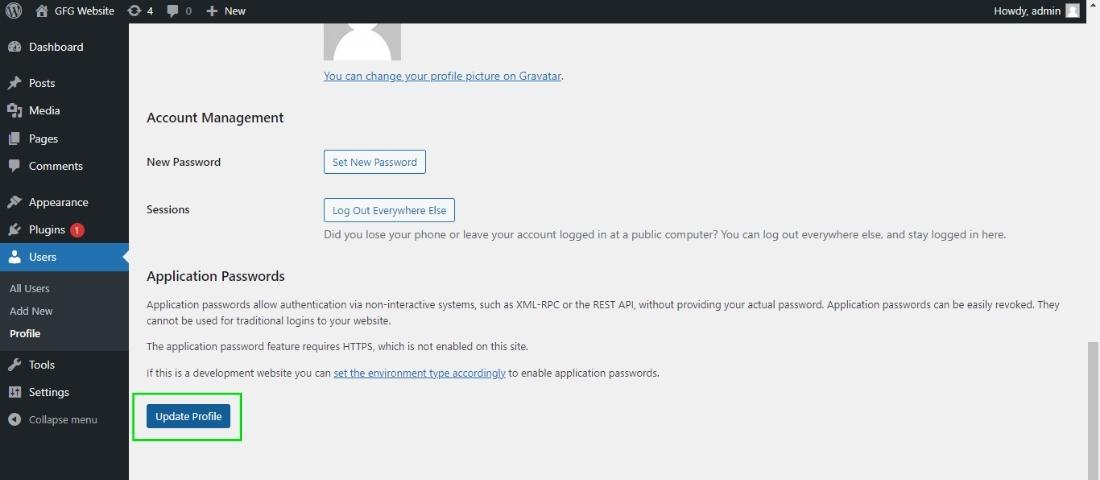
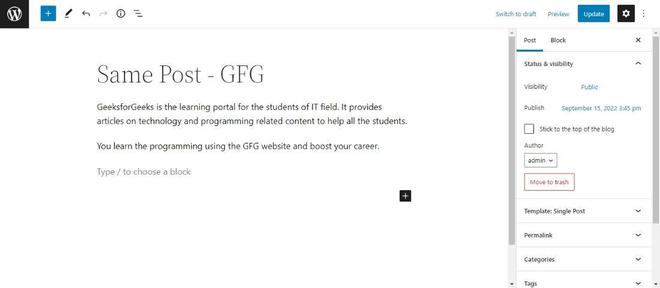
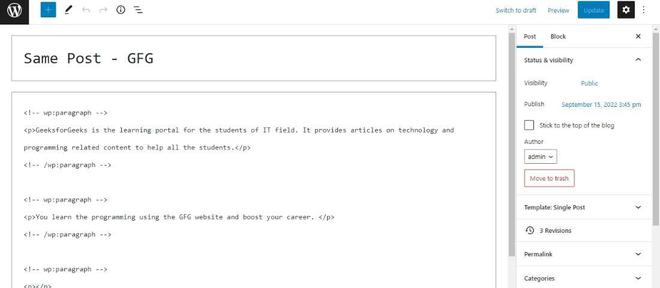
This is how you can remove the Visual Editor mode from your WordPress.
Conclusion
By following these steps, you can easily remove the Visual Editor mode in WordPress. Whether you prefer the simplicity of plain text or the convenience of visual editing, WordPress provides options to suit your needs.